

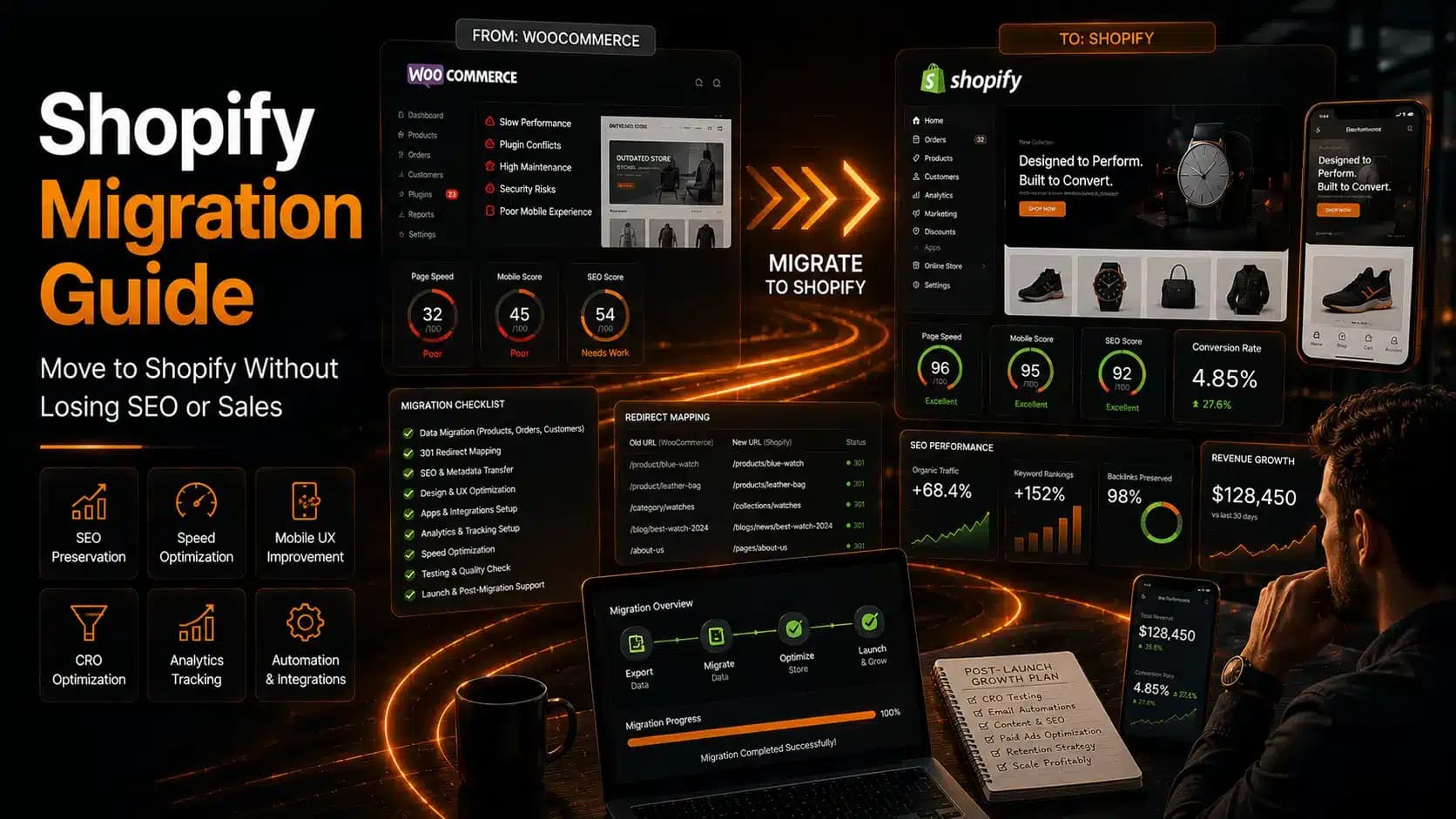
The Complete Shopify Migration Guide (2026): How to Migrate Without Losing SEO, Traffic, or Sales
Migrating an eCommerce store to Shopify isn’t just about changing platforms—it’s about protecting years of business growth while creating a stronger foundation for the future.
Unfortunately, many Shopify migrations fail silently. The store launches successfully, products appear correctly, and orders continue to come in. Yet within weeks, organic traffic declines, search rankings disappear, conversion rates drop, and operational issues begin to surface. Business owners often blame Shopify, when the real problem is a poorly planned migration.
At Sterlingweb Growth Labs, we’ve helped businesses migrate from WooCommerce, Magento, Wix, BigCommerce, and custom-built eCommerce platforms to Shopify. One thing is consistently true: successful migrations are business transformation projects, not website redesigns.
This guide explains how to migrate to Shopify in 2026 while protecting SEO, improving performance, and creating an eCommerce store built for long-term growth.
Why Businesses Are Moving to Shopify
As businesses grow, many legacy eCommerce platforms become difficult to maintain. What worked for a startup often becomes a barrier to scaling.
Common reasons businesses migrate include:
- Slow website performance
- Plugin conflicts and compatibility issues
- Expensive maintenance
- Security vulnerabilities
- Difficult backend management
- Poor mobile experience
- Limited scalability
- High hosting costs
- Complex software updates
Shopify has become one of the world’s leading eCommerce platforms because it simplifies many of these challenges.
It provides secure hosting, automatic updates, powerful checkout infrastructure, a robust app ecosystem, and enterprise-level scalability—all without requiring constant technical maintenance.
However, simply moving your store to Shopify does not guarantee better results. Without a structured migration strategy, businesses risk losing years of SEO authority and customer trust.
Shopify Migration Is Business Infrastructure Migration
Many business owners believe migration involves four simple steps:
- Export products
- Import products
- Install a new theme
- Launch the website
In reality, those tasks represent only a small portion of a successful migration.
A professional Shopify migration involves preserving your digital assets, rebuilding critical business systems, and optimizing the entire customer experience.
A poorly executed migration can negatively affect:
- Organic rankings
- Indexed pages
- Customer accounts
- Analytics data
- Email marketing
- Marketing automation
- Conversion rates
- Site speed
- Third-party integrations
- Inventory management
Migration should improve your business—not interrupt it.
Protect SEO Before You Move
The biggest mistake businesses make during migration is ignoring SEO.
Search engines have already indexed your pages, understood your website structure, and associated backlinks with specific URLs. Changing those URLs without a proper migration strategy can result in significant ranking losses.
Professional SEO preservation includes:
- Complete URL mapping
- 301 redirect implementation
- Metadata migration
- Title and description preservation
- Structured data transfer
- XML sitemap generation
- Internal link updates
- Canonical tag management
- Image optimization
- Crawl error monitoring
At Sterlingweb Growth Labs, SEO preservation begins before a single product is migrated. Every critical URL is documented and redirected to maintain search visibility and protect existing authority.
Redirect Planning Is Critical
Broken links are one of the fastest ways to lose both search rankings and customer trust.
Without proper redirects, visitors encounter 404 errors, search engines remove indexed pages, and valuable backlinks lose their authority.
Every existing URL should have a mapped destination before launch.
This includes:
- Product pages
- Collections
- Categories
- Blog articles
- Landing pages
- Help center content
- Contact pages
Comprehensive redirect planning ensures customers and search engines always find the right destination.
Avoid App Overload
One of Shopify’s biggest strengths is its extensive app marketplace. Unfortunately, many stores install dozens of unnecessary apps immediately after migration.
Excessive apps introduce:
- Slower loading times
- Duplicate functionality
- Additional JavaScript
- Higher monthly costs
- Compatibility issues
- Poor Core Web Vitals
Instead of relying on numerous apps, we recommend building a streamlined Shopify architecture using native features, custom development where appropriate, and only essential integrations.
A faster store consistently delivers better SEO performance and higher conversion rates.
Design for Mobile-First Shopping
Today, most eCommerce purchases begin on mobile devices.
Migration provides the perfect opportunity to redesign the shopping experience for smartphone users.
A mobile-first Shopify store includes:
- Fast page loading
- Thumb-friendly navigation
- Sticky Add-to-Cart buttons
- Optimized product galleries
- Simple product filtering
- Streamlined checkout
- Easy payment options
- Clear trust indicators
Improving mobile usability not only increases conversions but also supports Google’s mobile-first indexing requirements.
More Than Products: Everything That Must Be Migrated
A successful Shopify migration includes much more than transferring products.
Product Data
- Products
- Variants
- SKUs
- Inventory
- Images
- Collections
- Tags
- Custom fields
Customer Information
- Customer accounts
- Order history
- Saved addresses
- Loyalty programs
- Subscription data
SEO Assets
- URLs
- Redirects
- Metadata
- Structured data
- XML sitemaps
- Internal links
Analytics
- Google Analytics 4
- Google Tag Manager
- Meta Pixel
- Conversion tracking
- Enhanced Ecommerce
- Server-side tracking
Many businesses lose historical reporting because analytics isn’t configured correctly during migration.
WooCommerce to Shopify Migration
WooCommerce remains a powerful platform, but many growing businesses eventually encounter operational challenges.
Common issues include:
- Plugin conflicts
- Theme compatibility problems
- Security maintenance
- Hosting limitations
- Performance bottlenecks
Migrating to Shopify simplifies day-to-day operations while providing a managed infrastructure.
At Sterlingweb Growth Labs, WooCommerce migrations focus on more than moving products. We improve:
- Website speed
- Mobile experience
- Navigation
- Product presentation
- Conversion optimization
- Search visibility
The goal is measurable business improvement—not simply replicating the old store.
Magento to Shopify Migration
Magento offers extensive flexibility but often requires significant technical resources.
Growing businesses frequently migrate because they want:
- Lower maintenance costs
- Faster deployments
- Easier content management
- Improved operational efficiency
- Simplified administration
Magento migrations require careful planning due to complex product structures, customer data, and custom integrations.
Every migration should be approached as a structured transformation project rather than a simple platform switch.
Typical Shopify Migration Timeline
Migration timelines vary based on store size and complexity.
Small Stores
- 2–4 weeks
Mid-Sized Stores
- 4–8 weeks
Enterprise Stores
- 2–6 months
Factors influencing timelines include:
- Product volume
- Custom functionality
- Third-party integrations
- SEO requirements
- Design customization
- Data complexity
- Testing requirements
Rushing a migration almost always results in avoidable problems after launch.
Shopify Migration Costs
Investment depends on business requirements.
Typical ranges include:
Basic Migration
- $2,000–$5,000
Optimized Migration
- $5,000–$15,000
Enterprise Migration
- $20,000–$100,000+
Low-cost migrations often exclude:
- SEO preservation
- Conversion optimization
- Performance improvements
- Analytics setup
- Automation workflows
- Quality assurance
The cheapest migration frequently becomes the most expensive when lost traffic and reduced sales are considered.
Improve Speed During Migration
Migration is the ideal time to optimize website performance.
A professional Shopify build should include:
- Lightweight themes
- Core Web Vitals optimization
- Image compression
- Modern image formats
- Script optimization
- Lazy loading
- Font optimization
- Performance testing
Many businesses migrate platforms but carry over the same performance issues, missing a valuable opportunity to improve rankings and customer experience.
Reconnect Business Systems
Modern eCommerce businesses depend on numerous connected systems.
Migration often involves reconnecting:
- CRM platforms
- Email marketing tools
- ERP software
- Warehouse management
- Shipping providers
- Subscription services
- Loyalty programs
- Accounting software
- Marketing automation
Integration planning should begin before migration to prevent operational disruptions after launch.
Post-Migration Optimization Matters
Launching your Shopify store is not the finish line.
It’s the beginning of continuous optimization.
Important post-launch activities include:
SEO Monitoring
Track:
- Rankings
- Crawl errors
- Index coverage
- Redirect performance
- Organic traffic
Performance Reviews
Monitor:
- Core Web Vitals
- Page speed
- App performance
- Third-party scripts
- Mobile usability
Conversion Rate Optimization (CRO)
Improve:
- Checkout flow
- Product pages
- Navigation
- Average Order Value
- Cart abandonment
- Repeat purchases
Successful brands treat migration as the first step in long-term growth, not the final objective.
Why Choose Sterlingweb Growth Labs?
At Sterlingweb Growth Labs, we build Shopify migration strategies around measurable business outcomes.
Our services include:
- WooCommerce to Shopify Migration
- Magento to Shopify Migration
- BigCommerce Migration
- Wix Migration
- Custom Platform Migration
- Shopify Store Development
- Conversion Rate Optimization (CRO)
- Technical SEO & SEO Preservation
- Core Web Vitals Optimization
- Mobile-First UX Design
- Shopify App Integration
- Marketing Automation
- Performance Optimization
- Ongoing Growth Support
We don’t simply migrate websites—we help businesses create faster, more scalable, and more profitable eCommerce systems.
Final Thoughts
A Shopify migration should never be viewed as a simple platform upgrade. It’s an opportunity to modernize your entire eCommerce operation.
When executed correctly, migration improves:
- Customer experience
- Website speed
- Organic visibility
- Conversion rates
- Operational efficiency
- Scalability
- Long-term profitability
The most successful brands don’t ask, “How quickly can we migrate?” They ask, “How can this migration position us for the next five years of growth?”
That shift in thinking makes all the difference.
At Sterlingweb Growth Labs, we believe migration should do more than move your store—it should transform your business into a faster, smarter, and more scalable eCommerce operation.
Frequently Asked Questions
Can migrating to Shopify hurt SEO?
Yes, if redirects, metadata, URL structures, and structured data are not handled correctly. A professionally managed migration preserves SEO equity and minimizes ranking fluctuations.
How long does a Shopify migration take?
Most projects take between 2 and 8 weeks, while enterprise migrations with custom integrations may require several months.
Is migrating from WooCommerce to Shopify worth it?
For many growing businesses, yes. Shopify reduces maintenance, improves scalability, simplifies operations, and provides a reliable infrastructure for long-term growth.
What is the biggest Shopify migration mistake?
The most costly mistake is treating migration as a design project instead of a business infrastructure migration. Ignoring SEO preservation, analytics, and customer experience can significantly impact revenue.
Should migration improve conversions?
Absolutely. A migration is the ideal opportunity to redesign your store, optimize the checkout experience, improve mobile usability, and increase conversion rates rather than simply recreating the existing website.